
A cheatsheet for each topic
Signatures and one-line explanations on one page, each linked back to its lesson.
TopicsFree, beginner-first courses
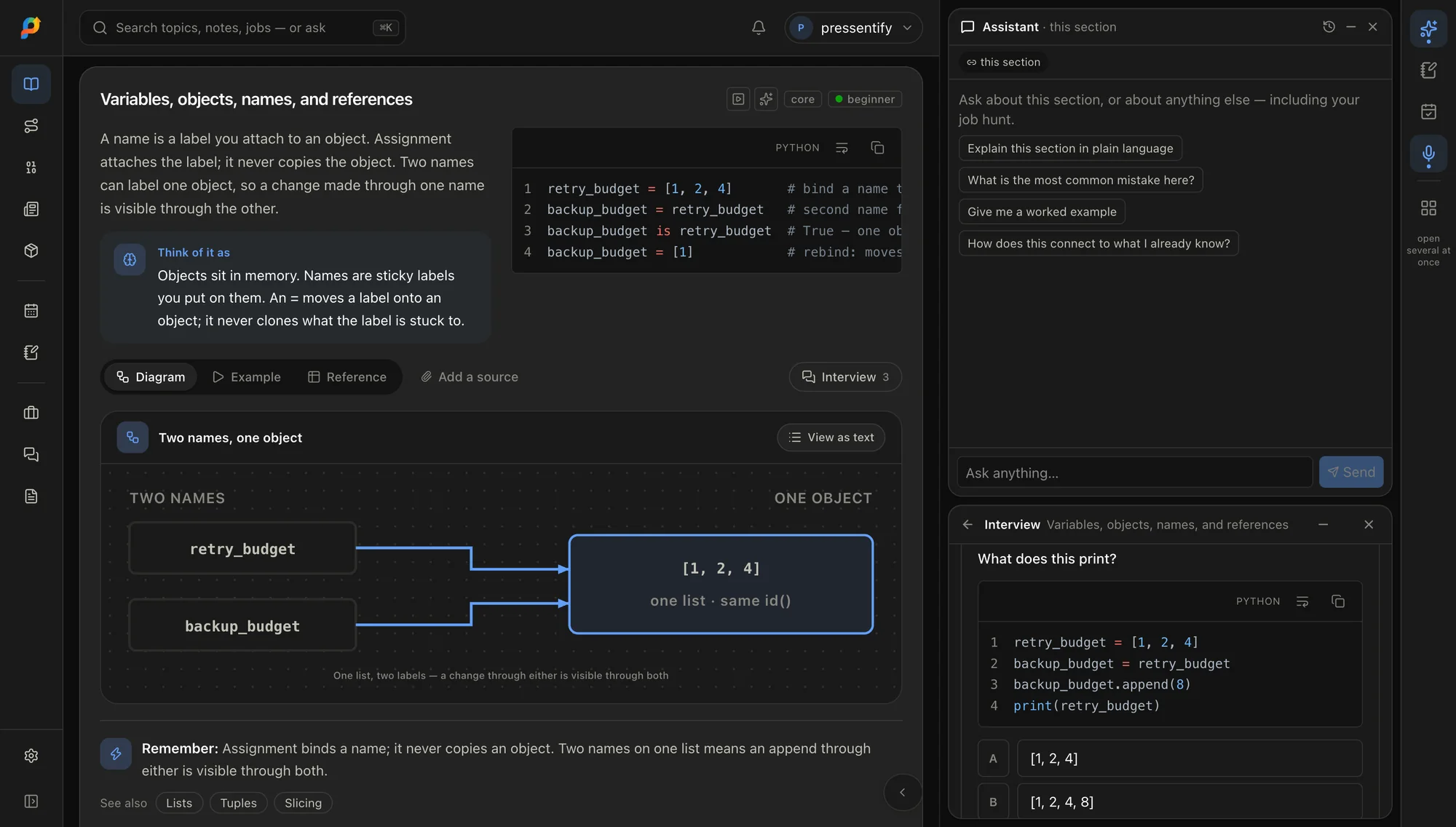
Every topic starts from the plain explanation and goes down to production depth. Run the code in the page, take a quiz after each section, and search to the exact line when you come back.
01The topics
Finished topics are complete against their outline. Topics being written are open to read now and grow section by section; the bar shows exactly how far each has come.
beginner · 40+ hours
A readable, batteries-included language for backends, data work and automation.
intermediate · 15+ hours
A relational database that keeps your data correct under pressure.
advanced · 15+ hours
How to shape systems that stay fast and available as they grow.
intermediate · 40+ hours
A batteries-included Python web framework for database-backed applications.
intermediate · 15+ hours
A document database that stores flexible, JSON-shaped records.
intermediate · 12+ hours
Rent servers, storage and managed services instead of running your own.
advanced · 25+ hours
Ship real features on top of models — RAG, agents, evaluation and inference.
beginner · 30+ hours
Pattern-based problem solving — arrays to graphs, for interviews and daily fundamentals.
beginner · 30+ hours
The language every browser runs, and the foundation under React and Next.js.
intermediate · 12+ hours
Build user interfaces out of small, reusable pieces that react to data.
beginner · 12+ hours
Package an app with everything it needs so it runs the same everywhere.
intermediate · 35+ hours
Build typed, async Python APIs with validation and docs built in.
advanced · 35+ hours
The React framework that handles routing, rendering and data fetching for you.
intermediate · 12+ hours
The relational database behind a large share of the web.
02Learn
Explain, Example, Reference. Read the plain explanation when it is new, the worked example when you want to see it run, and the reference when you only need the shape of it again. Written for a beginner first, with depth layered underneath.
Edit a Python example and run it in your browser. Nothing to install, nothing sent to a server.
Vector diagrams that stay sharp in print and carry a written alternative, plus a gallery of all of them.
One keystroke searches every concept and jumps to the anchor, not just the page it lives on.
Hide advanced material on the first pass and bring it back on the second.
A printable sheet per topic for the day you only need the syntax.
Plus patterns, common mistakes, best practices, a glossary and an FAQ.
Attach links and files to any concept and keep them beside the lesson.
03With the assistant
Reading is free. When you sign in, the AI features switch on around the lesson.
 AI
AIThe assistant is given the section you have open: its summary, outcomes, key points and concepts. It answers in the section’s own words, and says so when your question goes further than the section does.
Each concept has interview questions, easiest first. Type your answer and it is graded against the section’s authored rubric, not a model’s opinion. You can dispute a grade, or ask for more questions.
Select text in a note to rewrite it, simplify, summarise, explain it or turn it into bullets. For code: refactor, add comments or explain. You see a preview and choose Replace or Insert below.
Speak your question into the assistant where the browser supports speech input.
Ask it to add a topic to your plan and it shows the change first. Nothing is applied until you confirm.
AI features need a free account. Public pages are read-only.
04Around the lesson
Each topic connects to the other tools on the site, so what you read turns into something you do.
Signatures and one-line explanations on one page, each linked back to its lesson.
The planner dates every section and brings finished ones back for revision.
Write on the concept itself, and find the note again from the planner.
Vector diagrams that stay sharp in print and carry a written alternative.
?Questions
Reading is free and needs no account. Sign in when you want a plan, notes and progress that follow you between devices.