
CheatsheetsQuick references, free
Look it up in seconds.
One page per topic of signatures, one-line explanations and short examples. Filter as you type, and jump back to the full lesson whenever the line is not enough.
- Free to read, no account
- Filter by signature, word or tag
- Every entry links to its lesson
- Dense one-page sheets for some sections
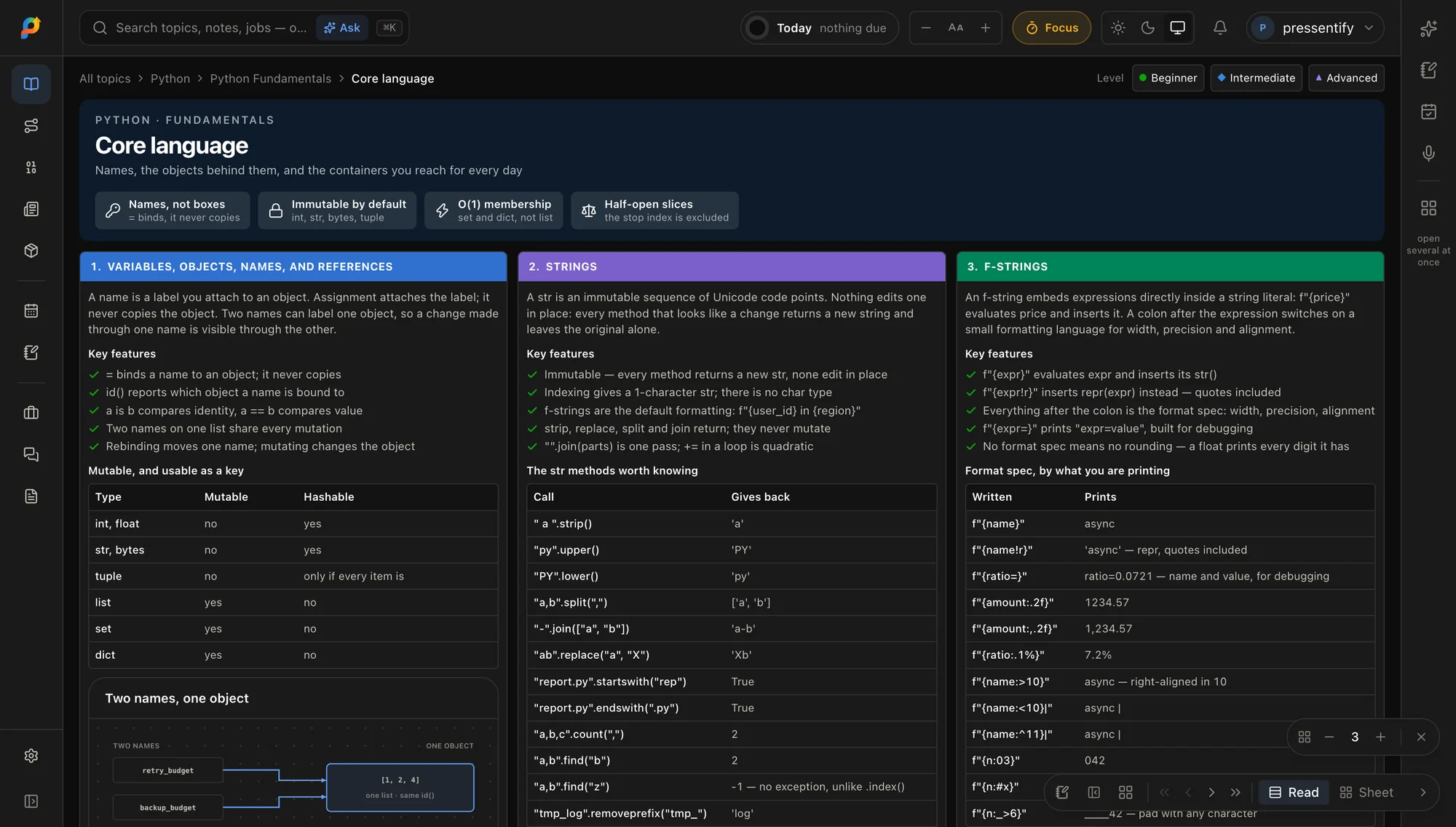
- Filter as you type
- Linked to lessons
- Section sheets
01The cheatsheets
Pick the topic you are in.
Every topic that has quick-reference entries has a cheatsheet. The counts below are taken from the topics themselves, so they cannot drift.
02Inside an entry
Built for the fifth time you look it up.
Nothing to read around. The entry gives you the syntax and just enough to be sure it is the right one.
- 01
Signature first
The thing you forgot is at the top of the entry, in monospace, ready to copy.
- 02
One line of explanation
Enough to confirm it is the right tool, without reading a lesson.
- 03
A short example
Where an example helps, it sits right under the signature.
- 04
Filter as you type
Narrow a topic’s entries by signature, description or tag. Sections stay grouped, so you see where in the topic each one lives.
- 05
Back to the lesson
Every entry links to the concept that teaches it in full, for when the line is not enough.
Filter within a topic
Type part of a signature, a word from the description, or a tag.
Grouped by section
Entries follow the order of the course, so related things sit together.
Section sheets
Some topics add a dense one-page sheet for a single section.
Linked to the lesson
Each entry points back to the concept behind it.
03With the assistant
When the line is not enough, ask.
The cheatsheet is the fast path. For the why behind an entry, the assistant is one click away once you sign in.
 AI
AI- 01
Ask without leaving the sheet
The assistant sits at the edge of every page in the app. Ask what an entry means, or when to reach for it.
- 02
Say it out loud
Speak the question where the browser supports speech input.
- 03
It proposes, you decide
Ask it to plan the topic into your week and it shows the change first. Nothing is applied until you confirm.
AI features need a free account. Public pages are read-only.
?Questions
Before you start
- Are the cheatsheets free?
- Yes. Every cheatsheet is free to read and needs no account.
- What is in an entry?
- A signature, a one-line explanation and, where it helps, a short example and tags. Each entry links back to the lesson that teaches it in full.
- How do I find one entry quickly?
- Each topic’s cheatsheet has a filter box that narrows the list as you type, by signature, description or tag. Entries stay under the section they belong to, so you also see where in the topic they live.
- What are the per-section sheets?
- Some topics also have a dense one-page sheet for a single section, at its own address. They are listed on that topic’s cheatsheet and marked “sheets” on its card.
- Is a cheatsheet a way to learn a topic?
- It is for the day you already know the idea and only need the syntax. If it is new, start with the topic’s lesson; every entry links there.
Open one. Keep it handy.
Every cheatsheet is free. Sign in only if you want a study plan, notes and progress that follow you.